Editions and palettes
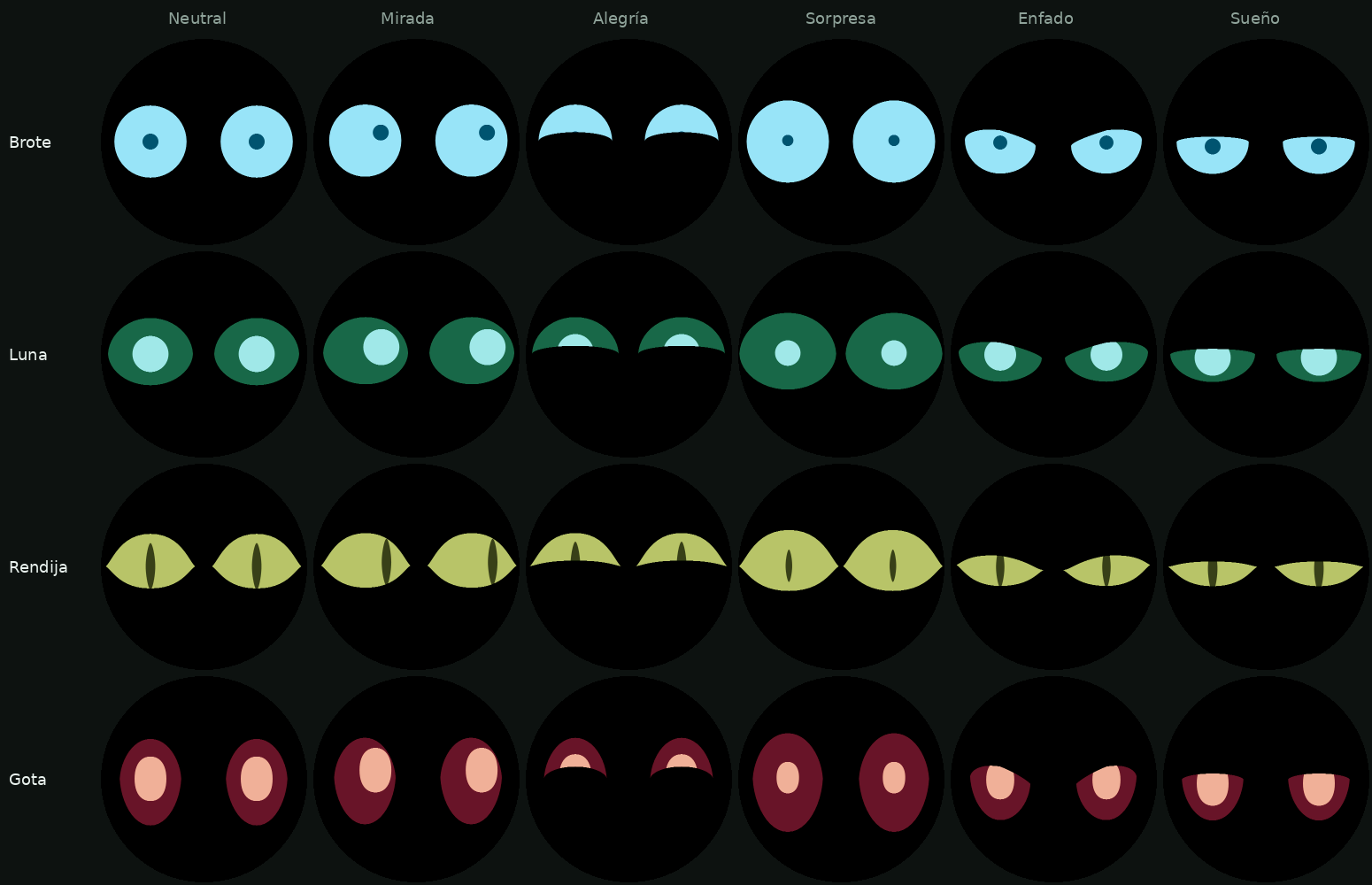
Studio
| Edition | Shape |
|---|---|
| Sprout (Brote) | Round eye with a small pupil |
| Moon (Luna) | Wide eye with a large round pupil |
| Slit (Rendija) | Almond-shaped eye with a vertical pupil |
| Drop (Gota) | Tall eye with an oval pupil |
| Prism (Prisma) | Blends smoothly through the four shapes. Set how long each one lasts. |
| Forge (Forja) | Mixes all four using weights, eye and pupil sizes, rotation and spacing. |
All share the same motion: gaze, three blinks (normal, double and slow) and six expressions (happy, surprised, angry, sad, sleepy and suspicious). The ESP32 calculates their Bézier curves instead of loading stored images, so the shapes stay sharp at any size.
Palettes: 100 named combinations for the eye, left pupil and right pupil. Some use a different color for each pupil.
Visor
Round eyes with eyelids, designed to sit behind a printed visor. There are 24 expressions, including neutral, suspicious, angry, surprised, laughing, sad, asleep, winks, gaze and mechanical focus. Sequence cycles randomly without repeating an expression twice in a row. Set its 10–60 s interval under Motion. Six yellow and cream shades are included. The joystick is off by default.
Animation
Full Studio plus an animation inside the BIN. The gallery includes original characters with three variants: idle, exploring and double blink.
| Category | Characters |
|---|---|
| Horror | Ghost, Magma Golem, Shark, Amber Dragon, Martian Cyclops, Cosmic Octopus, Neon Ninja |
| Creatures | Lunar, Astro, Moon Cat, Night Owl |
| Anime | Arcane, Solar, Glacial, Crimson, Emerald, Prism, Runes |
| Expressions | Purple Happy, Angry, Surprise and Sad, plus Purple Gestures |
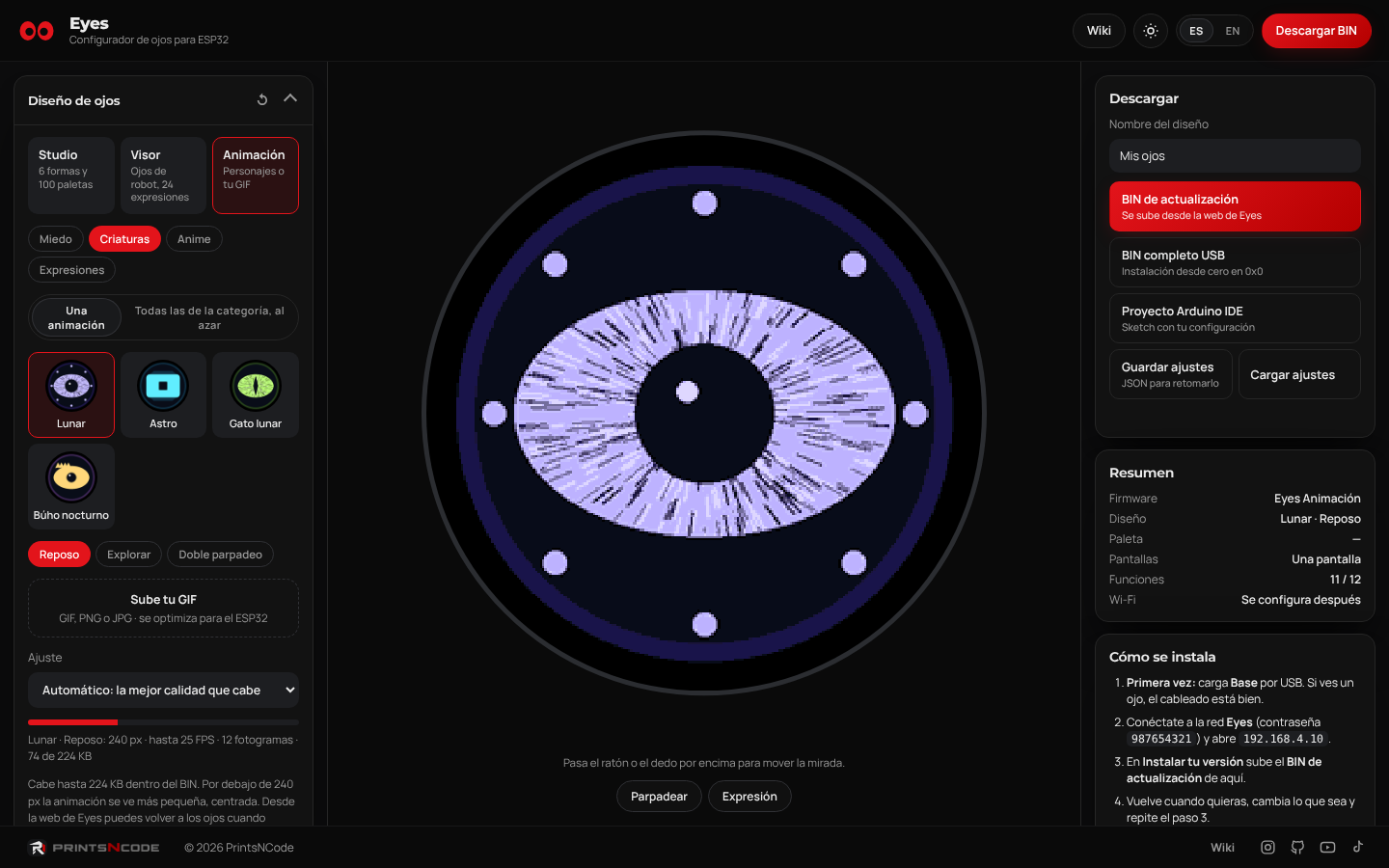
Choose one animation or all animations in a category. For a category, Eyes switches randomly every 5–120 seconds, as configured. You can also upload a GIF, PNG or JPG.
Colors: the configurator detects the background, eye, pupil and detail colors. Edit each color separately or apply one of the 100 palettes to the eye and pupil. Highlights and gradients are preserved.
Use Contenido on the device page to switch between the animation and Studio eyes.
Base
One blinking demo eye (Moon) for checking the wiring and installing another edition.
Eyes Limpio
Starts with both displays black and has a gallery for your own images and GIFs. See installation and downloads for ESP32-C3.